A Backline Guide

Secure Messaging in Healthcare: A Guide to Safer, Faster Clinical Communication

Secure messaging helps clinicians, staff, patients, and care partners exchange health information through a protected, managed platform.

This guide explains how secure healthcare messaging differs from standard texting, when it is appropriate, which safeguards and capabilities matter, and how organizations can implement it effectively.

Looking for a solution? See how Backline supports secure communication across care teams, organizations, patients, and caregivers. Explore Secure Clinical Messaging →
Guide 9 minute read Security · Communication · Coordination
Clinician messaging on a phone
Secure messaging connects the people involved in a patient's care, inside and outside the hospital.

What is secure messaging in healthcare?

Secure messaging in healthcare is a protected way for authorized clinicians, staff, patients, and care partners to exchange health information electronically.

Unlike standard text messaging, a secure healthcare messaging platform is designed to protect patient information, control access, maintain communication records, and support the privacy and security requirements healthcare organizations must meet.

Depending on the platform, secure messaging may support:

✓Individual, group, and patient-centered conversations
✓Secure images, documents, and forms
✓Delivery, read, and acknowledgment status
✓Voice and video
✓On-call schedules and role-based communication
✓Communication with patients and external care partners
✓EHR and clinical-system integrations
✓Audit history and retention controls

Secure messaging is about more than encryption. It provides a managed environment for exchanging information with the people involved in care.

How is secure healthcare messaging different from standard texting?

Healthcare communication may contain protected health information and require organizational oversight. The correct recipient may also depend on specialty, location, role, shift, or current on-call coverage.

Standard textingSecure healthcare messaging
Who you can reachUsually connects known individuals✓Individuals, roles, teams, and on-call clinicians
What it is built forGeneral conversation✓Healthcare communication
Organizational controlLimited✓Managed access and administrative policies
Where information livesMay sit on personal devices✓A managed environment
Healthcare integrationsFew✓EHRs, schedules, directories, clinical systems
Message statusBasic status only✓Delivery, read, and acknowledgment status

A secure platform gives healthcare organizations greater control over how users access information, how communication is retained, and how activity can be reviewed.

When should healthcare teams use secure messaging?

Secure messaging is useful when people need to exchange protected information, provide context, ask a question, or communicate asynchronously. It is not the best channel for every situation.

Communication need
Channel to consider
Brief, nonemergency clinical question
Secure message
Information that can be reviewed asynchronously
Secure message
Immediate, interactive discussion
Phone, video, or in-person conversation
Urgent team awareness
Prioritized alert or established emergency process
Formal clinical documentation
EHR or other designated system of record
Patient instructions or follow-up
Portal, secure message, phone, or video according to policy
Multi-step request
Secure communication connected to a defined workflow

Teams may move between channels. A secure message may lead to a call, and a call may require documentation or follow-up. Organizations should define which channels fit common situations, how urgency is communicated, and when acknowledgment is required.

What should a clinical message include?

A useful clinical message gives the recipient enough information to understand the situation and determine what is expected. Depending on the purpose, it may need to identify:

✓The patient or subject of the communication
✓The reason for the message
✓Relevant clinical or operational context
✓The level of urgency
✓Whether the sender needs awareness, acknowledgment, a decision, or an action
✓When a response is expected
✓The next step if the recipient is unavailable
A sample message
Situation
Rm 412 — new-onset a-fib, rate in the 130s.
Background
Vitals and the most recent EKG are attached.
Assessment
Stable, but the rate is not improving.
Request
Requesting cardiology evaluation this shift. Please acknowledge.

Structured communication practices such as SBAR — Situation, Background, Assessment, and Recommendation or Request — can help teams organize information consistently. Message templates may also help with repeatable use cases, but they should leave room for clinical judgment and patient-specific details.

Sending a message is not the same as confirming understanding or completion.

When a request is time-sensitive or actionable, the process may also need acknowledgment, alternate coverage, escalation, or confirmation that the next step occurred.

Is secure messaging HIPAA compliant?

A secure messaging platform can provide safeguards that support an organization's HIPAA compliance program. However, no individual technology makes an organization automatically compliant.

The HIPAA Security Rule requires covered entities and business associates to use appropriate administrative, physical, and technical safeguards to protect electronic protected health information. Organizations must consider how information is transmitted, accessed, stored, retained, and managed. [1]

When evaluating a platform, consider:

✓Encryption and other protections for transmitted and stored information
✓User authentication, access controls, and access removal
✓Device, application, and session management
✓Audit history and retention settings
✓Security-risk assessment and incident processes
✓Whether the vendor will enter into an appropriate business associate agreement

HHS permits healthcare providers to communicate electronically with patients when reasonable safeguards are applied. The appropriate method may depend on the information, channel, organizational policy, and patient preference. [2]

Can secure messaging connect the full care network?

Yes. Secure messaging can support communication among people inside and outside a hospital.

Internal care teams

Physicians, nurses, pharmacists, therapists, case managers, care coordinators, and operational teams.

On-call clinicians

The person currently covering a service, role, location, or specialty.

External care partners

Physician practices, skilled nursing facilities, home health agencies, pharmacies, behavioral health providers, EMS, and other authorized participants.

Patients and caregivers

People receiving instructions, forms, appointment information, education, follow-up, or virtual care.

The people involved in a patient's care do not always use the same organization, EHR, or communication system. Secure messaging can complement health information exchange by giving authorized participants a way to clarify questions and coordinate the activity surrounding shared information. [3]

Does secure messaging replace the EHR?

No. The EHR remains the clinical system of record. Secure messaging supports the conversations surrounding care, particularly when people need to connect quickly or work across departments, shifts, systems, and organizations.

Integrations can bring relevant patient information, directories, on-call schedules, alerts, and notifications into the communication process while keeping formal clinical documentation where it belongs. A platform may connect with:

EHR systems
On-call schedules and directories
Laboratory and medication alerts
Admission, discharge, and transfer notifications
Call center systems
Clinical and operational workflows

The goal is not to duplicate the medical record. It is to give people appropriate context and a clear way to communicate while maintaining defined documentation practices.

Care team collaborating on an iPad
Implementation should begin with a defined communication need.

How can healthcare organizations implement secure messaging successfully?

Implementation should begin with a defined communication need rather than the broad goal of replacing every channel.

1

Choose a use case

Start with a process such as consult communication, on-call coverage, discharge follow-up, or communication with external partners.

2

Map the current experience

Document who communicates, what information is needed, which channels are used, and what happens when someone is unavailable.

3

Set communication expectations

Define appropriate channels, urgency levels, response expectations, escalation, and documentation requirements.

4

Configure access and governance

Establish user roles, authentication, retention, device requirements, external access, and administrative responsibilities.

5

Test with the people doing the work

Pilot the process with frontline users and adjust it based on real situations.

6

Measure and refine

Consider adoption, routing accuracy, response time, acknowledgment, user experience, and workflow completion where applicable.

Training should cover more than how to operate the application. Users need to understand when to use secure messaging, what information to include, how urgency is signaled, and what to do when a response does not occur.

How can healthcare organizations use secure messaging?

Consults and referrals
Send a request with relevant context and connect with the appropriate clinician or specialty.
Critical results and medication alerts
Deliver time-sensitive information, request acknowledgment, and use an established alternate path when needed.
Discharge and care transitions
Connect hospital teams, patients, caregivers, pharmacies, and receiving organizations around the information required for a transition.
Shift handoffs
Keep patient-centered communication and outstanding responsibilities visible as coverage moves between clinicians or teams.
Patient engagement
Share instructions, forms, documents, appointment information, and follow-up communication through an appropriate protected channel.

What should organizations look for in a secure messaging platform?

The right platform should fit the organization's users, policies, workflows, systems, and care network. Evaluate:

Security and administration

Encryption, authentication, role-based access, device and session management, audit history, retention, reporting, and BAA availability.

Clinical communication

Individual, group, and patient-centered conversations; documents and images; delivery and acknowledgment status; priority indicators; and communication history.

Finding the right person

On-call schedule integration, directories, role- and team-based communication, specialty search, and alternate routing.

Connected care

Appropriate access for patients, caregivers, external providers, and care partners across organizations.

Usability and notifications

Mobile and web access, straightforward navigation, appropriate prioritization, and user notification controls.

Workflow and integration

Connections with clinical systems and the ability to support ownership, response expectations, status, escalation, and completion when a message initiates work.

The Backline approach

How Backline supports secure clinical communication

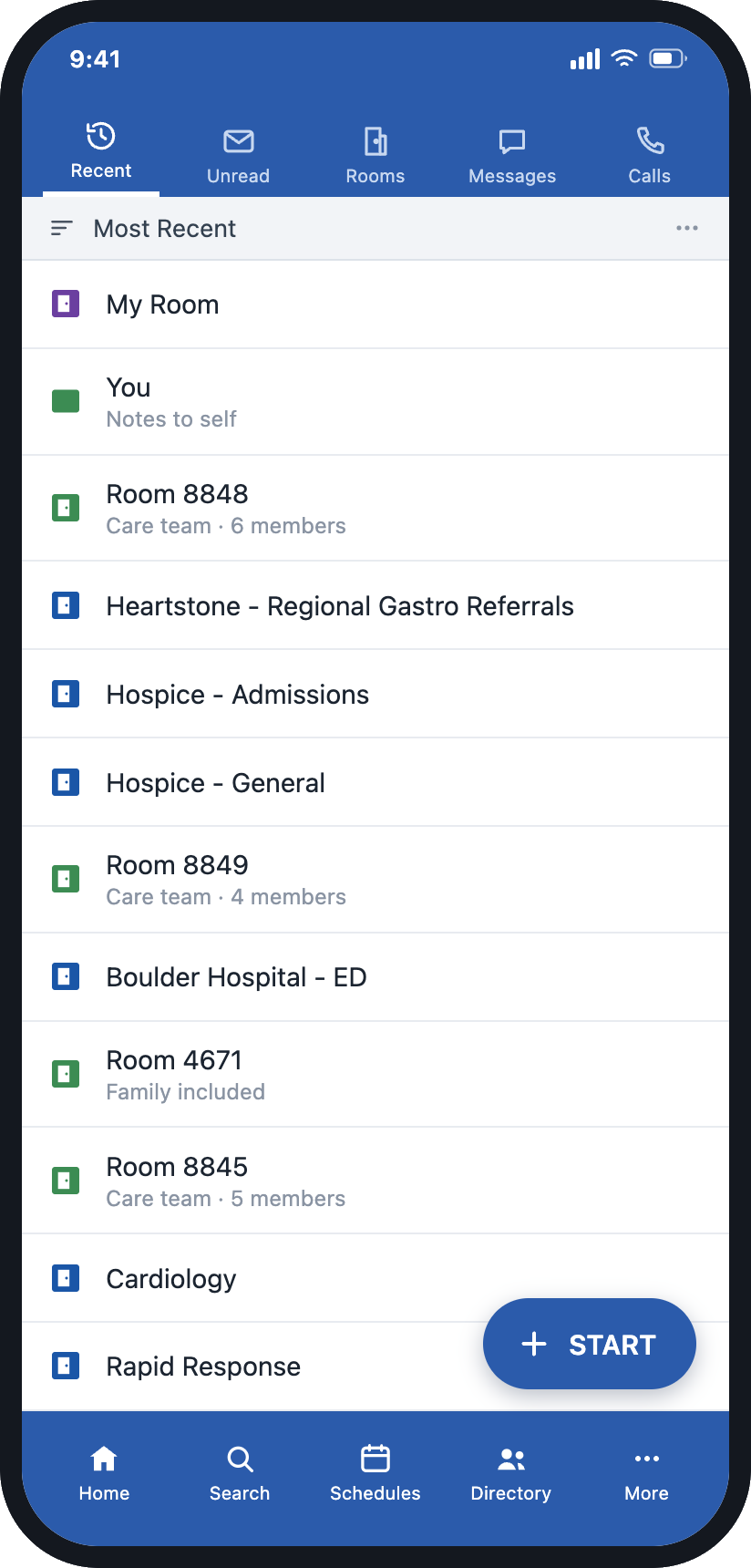
Backline provides secure text, voice, and video communication for clinicians, staff, patients, caregivers, and external care partners. Teams can use individual, group, and patient-centered conversations; share images and documents; reach role-based or on-call recipients; and connect communication with healthcare systems.

Secure clinical communication in Backline

Smarter

Coordinate what happens after a message.

Backline Pathways can coordinate what happens after a message through ownership, next steps, response windows, routing, escalation, status, and completion.

Faster

Reach the person currently responsible.

On-call schedules, role-based messaging, groups, and search can help people reach the person currently responsible.

Quieter

More control over how communication arrives.

Care Modes, targeted routing, priority settings, and personalized notifications give users more control over how communication reaches them.

Secure messaging provides the foundation for the conversation. When the conversation initiates multi-step work, Backline Pathways can provide a configurable structure around the coordination. The technology supports routing and follow-through; clinical judgment remains with the people providing care.

4M+
Messages each month
1,500+
Healthcare facilities
18K+
Cross-organization connections
95%
Client satisfaction
Backline platform data

Frequently asked questions

Is secure messaging the same as regular texting?

No. Consumer texting is not designed to provide all the access controls, audit capabilities, retention options, and healthcare-specific functions an organization may require.

Can healthcare providers text patient information?

Healthcare providers may communicate electronically when appropriate safeguards are applied. Organizations must evaluate how protected information is transmitted, accessed, stored, and managed. [1][2]

Can secure messaging connect people outside the hospital?

Yes. Depending on the platform, authorized external providers, post-acute facilities, home health agencies, pharmacies, patients, caregivers, and other partners can participate.

What is the difference between secure messaging and workflow coordination?

Secure messaging exchanges protected information. Workflow coordination organizes work that follows by defining owners, response windows, next steps, escalation, status, and completion.

Can secure messaging reduce communication overload?

It can help when communication is targeted according to role, responsibility, urgency, and availability — and when users have appropriate control over their notification preferences.

Start with secure communication

Secure messaging gives healthcare teams a protected, managed way to exchange information across departments, organizations, and care settings. The right approach should fit the people, policies, systems, and workflows it is intended to support.

Learn how Backline can support secure clinical communication and connect conversations with coordinated action when needed.

Sources
[1] U.S. Department of Health and Human Services. "Summary of the HIPAA Security Rule." hhs.gov
[2] U.S. Department of Health and Human Services, Office for Civil Rights. "Does the HIPAA Privacy Rule Permit Health Care Providers to Use Email to Discuss Health Issues and Treatment with Their Patients?" hhs.gov
[3] Assistant Secretary for Technology Policy/Office of the National Coordinator for Health Information Technology. "Health Information Exchange." playbook.healthit.gov